VDJ WAVESHARE
Live VirtualDJ waveforms for your lighting operator. They open a browser, you play. They see every drop coming.
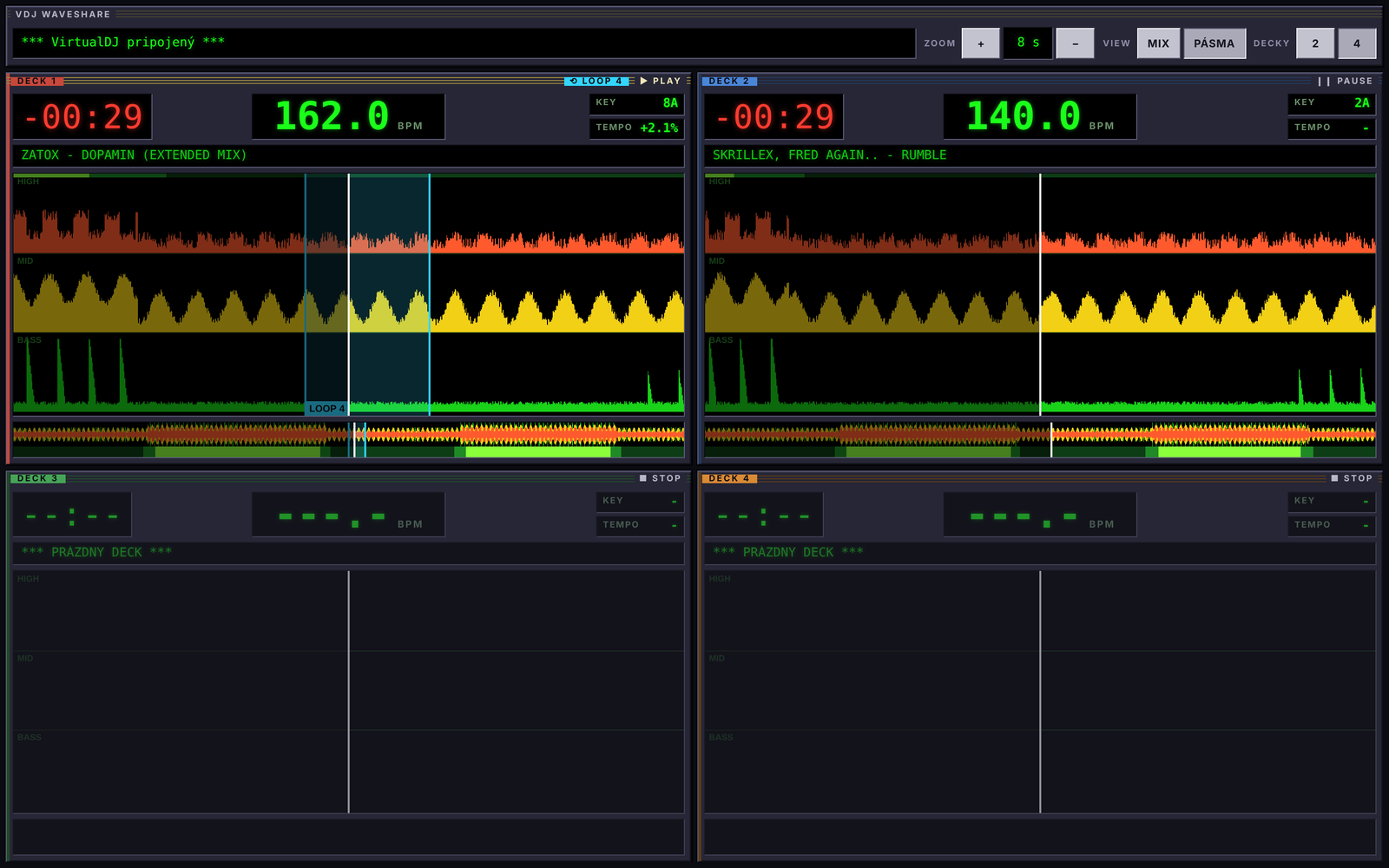
Bass, mids, highs. 100 columns per second. MIX or separate lanes.
Reads decoded audio inside VirtualDJ. No files on disk needed.
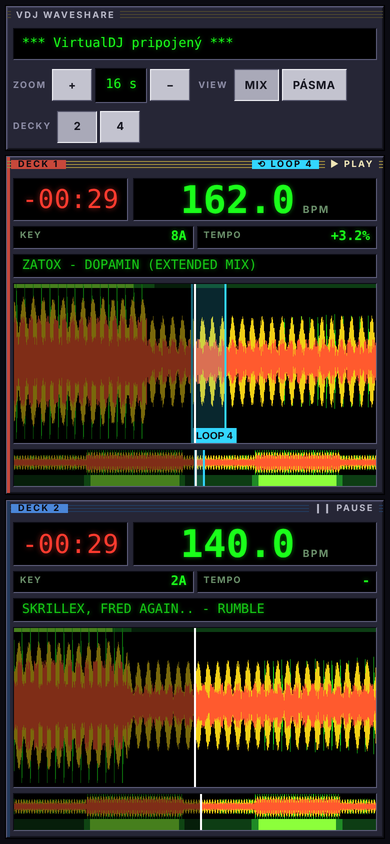
Largest number on screen, in the deck color. Key, tempo and time left next to it.
Dark for breakdowns, bright green for drops. Spot the next build early.
Loop region and length in beats. Playhead stays inside the loop.
2 to 64 seconds. Buttons, mouse wheel or two fingers. Double tap for 16 s.
From the VirtualDJ beat grid. Every beat thin, every bar bright.
Finger-sized buttons, full screen, no accidental page zoom.
Serves on every adapter. Open the cable address when plugged in, Wi-Fi when not.
Colored like VirtualDJ: red, blue, green, orange.
Tracks on a paused deck get scanned while another deck plays.
No cloud, no accounts. Audio never leaves the DJ laptop.
A VirtualDJ effect computes the waveform from the decoded track and sends 3 bytes per 10 ms to a small Node server on the same Mac. The server shares a dashboard with every device in the network.
# macOS, Node 18+, Xcode Command Line Tools
git clone https://github.com/kebab-py/vdj-waveshare.git
cd vdj-waveshare
# close VirtualDJ first
plugin/build.sh
node server/server.js
# VirtualDJ: switch on the WaveShare effect
# on each deck, then open the printed address